Platform

From the lesson to the homework, from the grade to the report.

Running the school, teaching, homework and AI help are connected, so every lesson and every grade reaches the parent and the director.

Running the school

The year, the classes, the people and the timetable.

The director runs the academic year and the classes, and builds the weekly timetable. Our team loads the teachers, students and parents from an Excel workbook and hands their logins to the school.
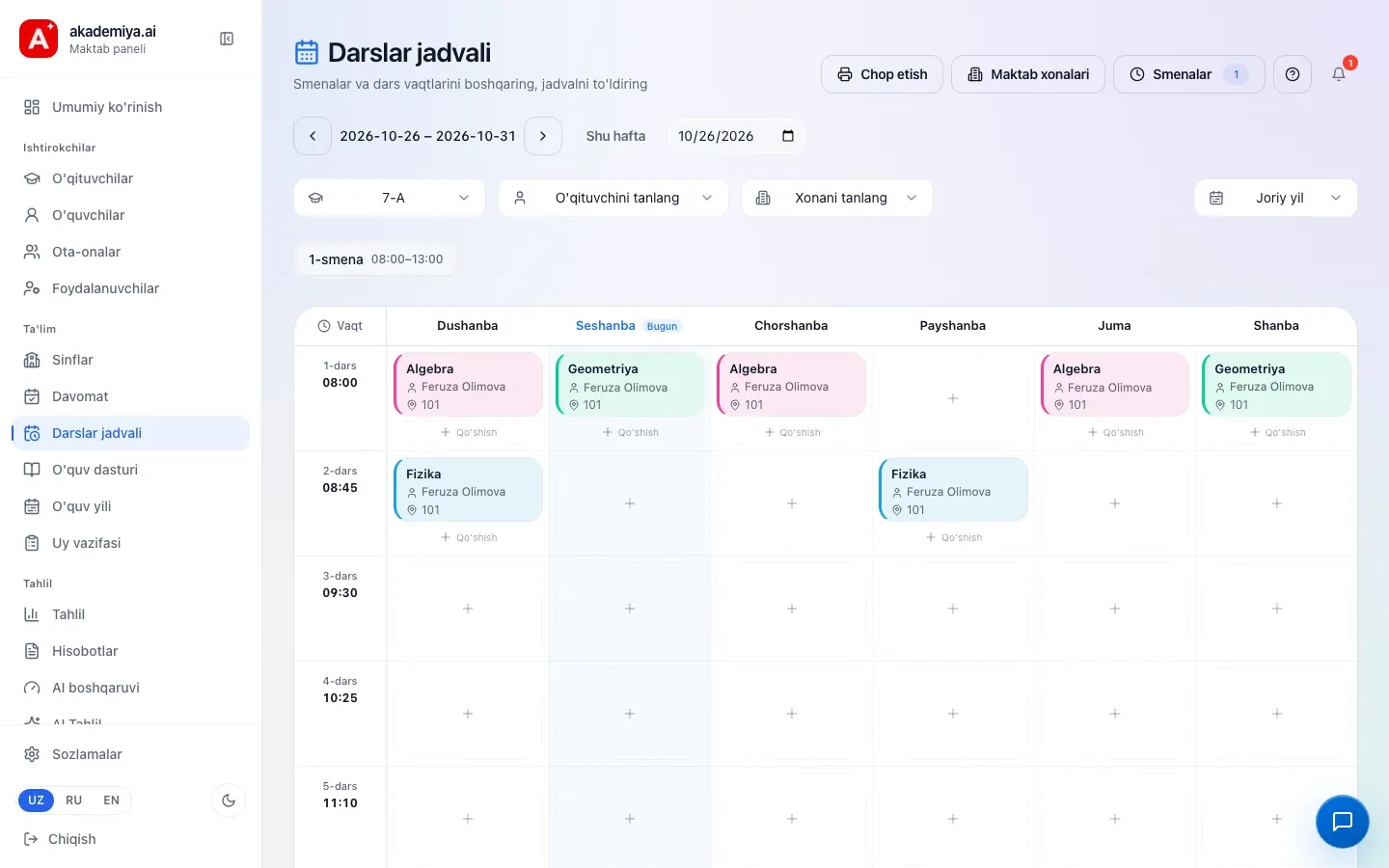
Director panel: a class’s weekly timetable

Teaching

A ready lesson, with attendance taken in the lesson.

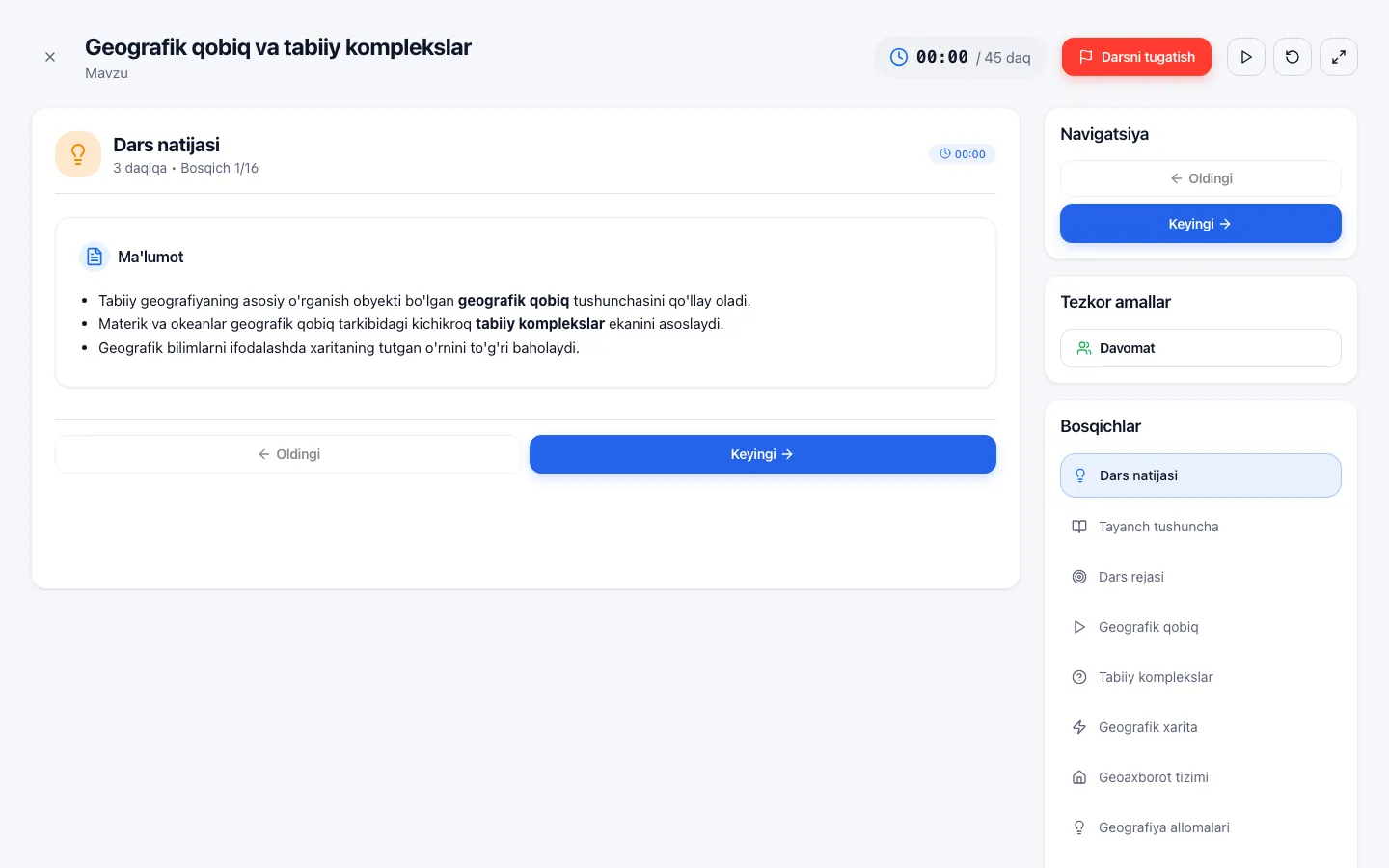
The teacher takes a lesson from a ready, curriculum-aligned library, presents it, and marks attendance right there.

Teacher presenter mode: lesson steps and quick actions

Homework

A run of games, ending in a Final Boss.

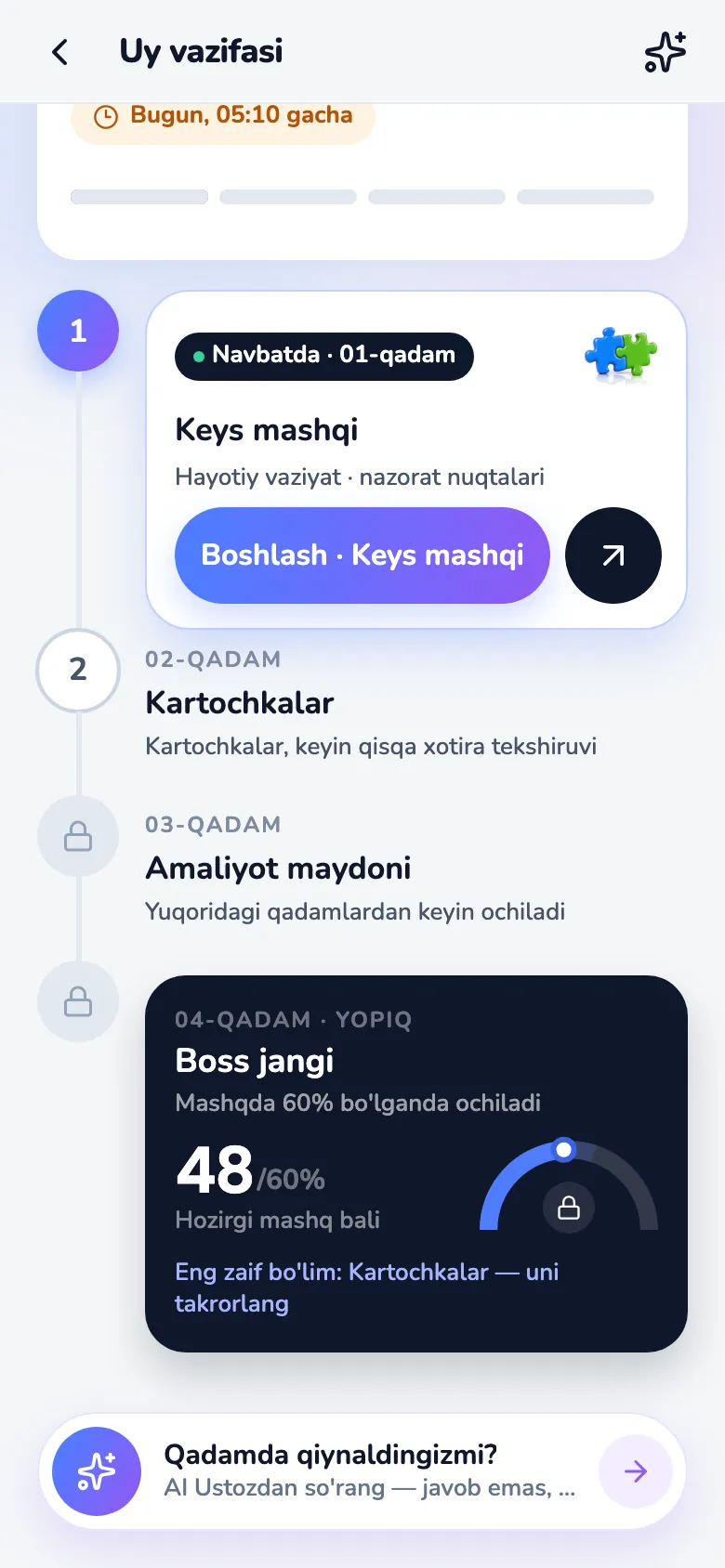
The student app opens on today’s plan. Homework is a series of games that ends in a Final Boss challenge, and the system scores it. A student who is stuck asks the AI tutor, in a chat or on a board.

Student app: a Final Boss challenge

Checking

The AI checks. The teacher sets the official grade.

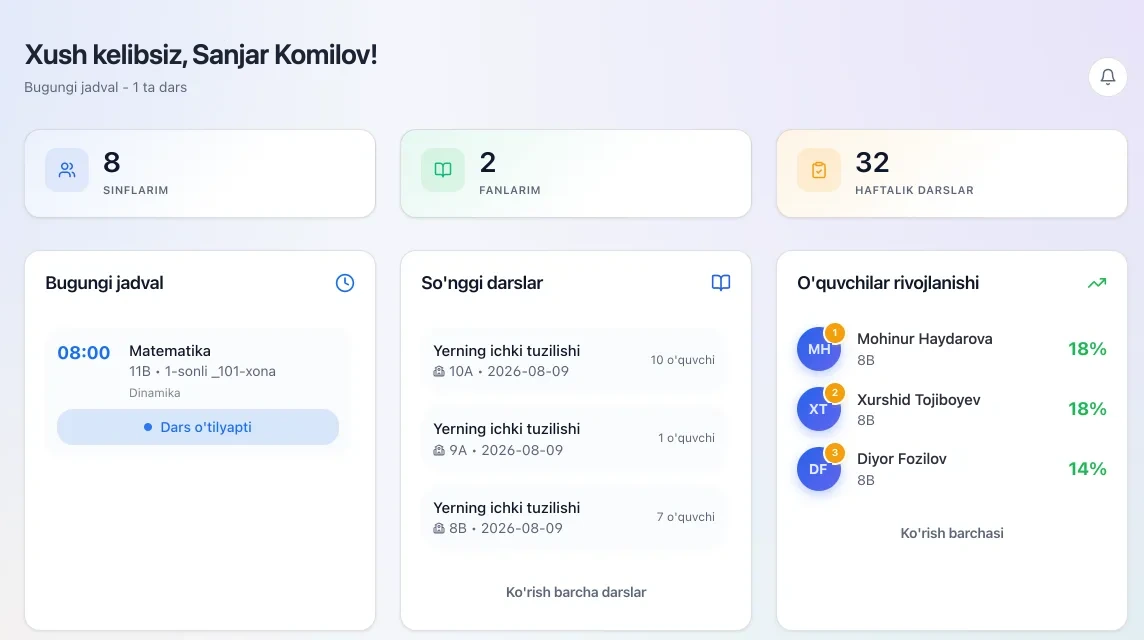
The AI checks the work and flags the grades it isn’t sure about. The teacher reviews them and sets the official grade.

Teacher dashboard: today’s schedule, recent lessons and student progress

Seeing

The director sees the school; the parent sees their child.

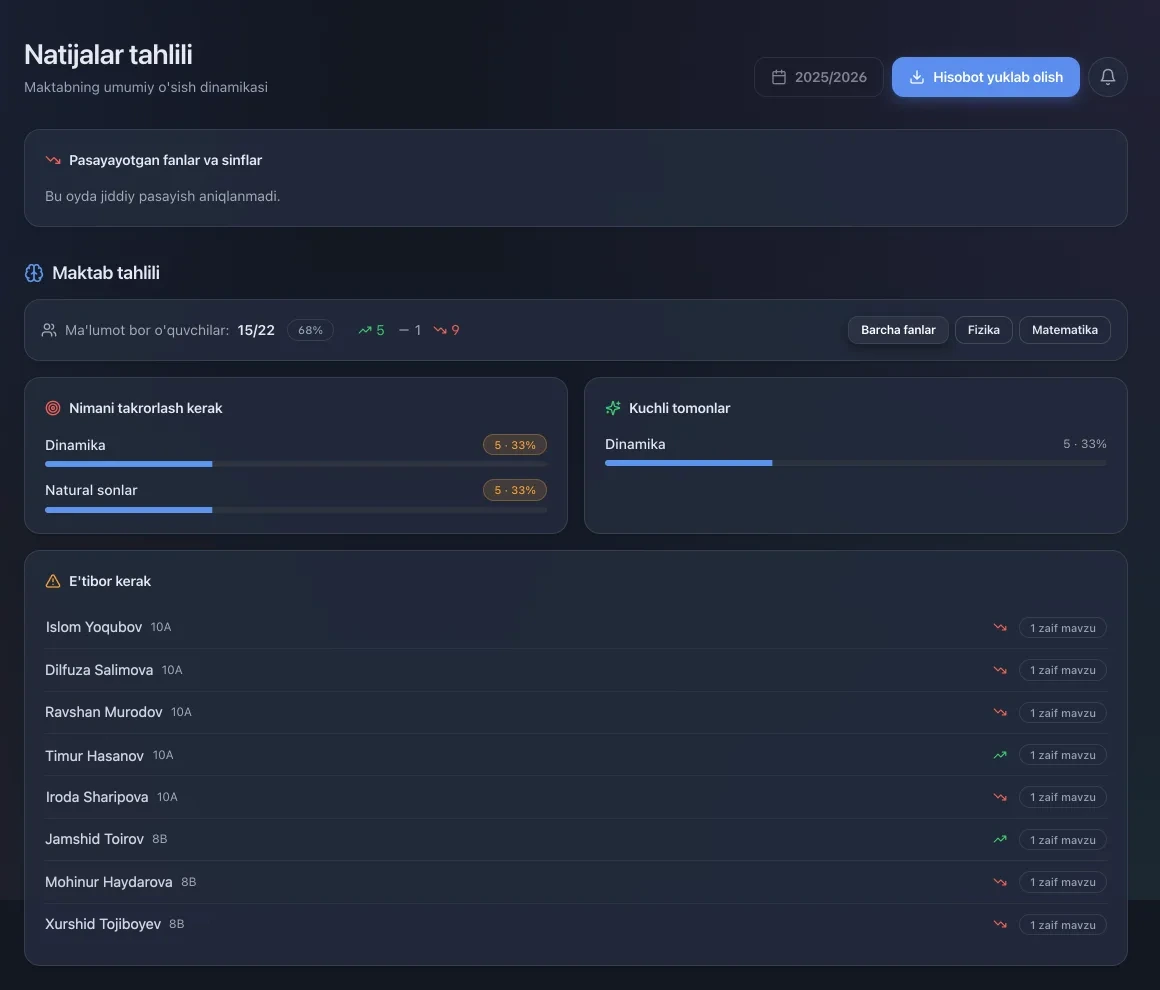
The director sees attendance, results, students at risk and teacher activity. In the app, the parent sees the child’s week, weekly reports and an AI-written summary.

Director panel: results analysis

Talking

Announcements, events and one-to-one chat.

The director sends announcements and events; when the school invites a child to an event, the parent approves or declines it in the app. Teachers chat one to one with the students and parents of their classes; students and parents write to their teachers and the director.

How one lesson travels

  1. Lesson

    The teacher presents the lesson and marks attendance.

  2. Homework

    The teacher assigns the lesson’s homework.

  3. Doing it

    The student completes it in the app, asks the AI tutor when stuck, and beats the Final Boss.

  4. Grading

    The AI checks the work; the teacher sets the official grade.

  5. Rewards

    The student earns XP, keeps a streak going and unlocks achievements.

  6. Results

    The parent and the director see the results.

Common questions

Which languages does it work in?

Uzbek, Russian and English. Uzbek is the default.

Who uses what?

Directors and teachers work in the web panel. Students and parents use the mobile app for iOS and Android.

Which grades?

Grades 1 to 11 of general-education schools.

How does a school join?

The school requests a demo, then our team registers the school and loads its data. There is no self-serve sign-up.

Try it in one grade first.

A free 6-week pilot. Our team imports your classes; the success measures and a decision date are agreed up front.

After that, $20 per student per month.

Book a demo